

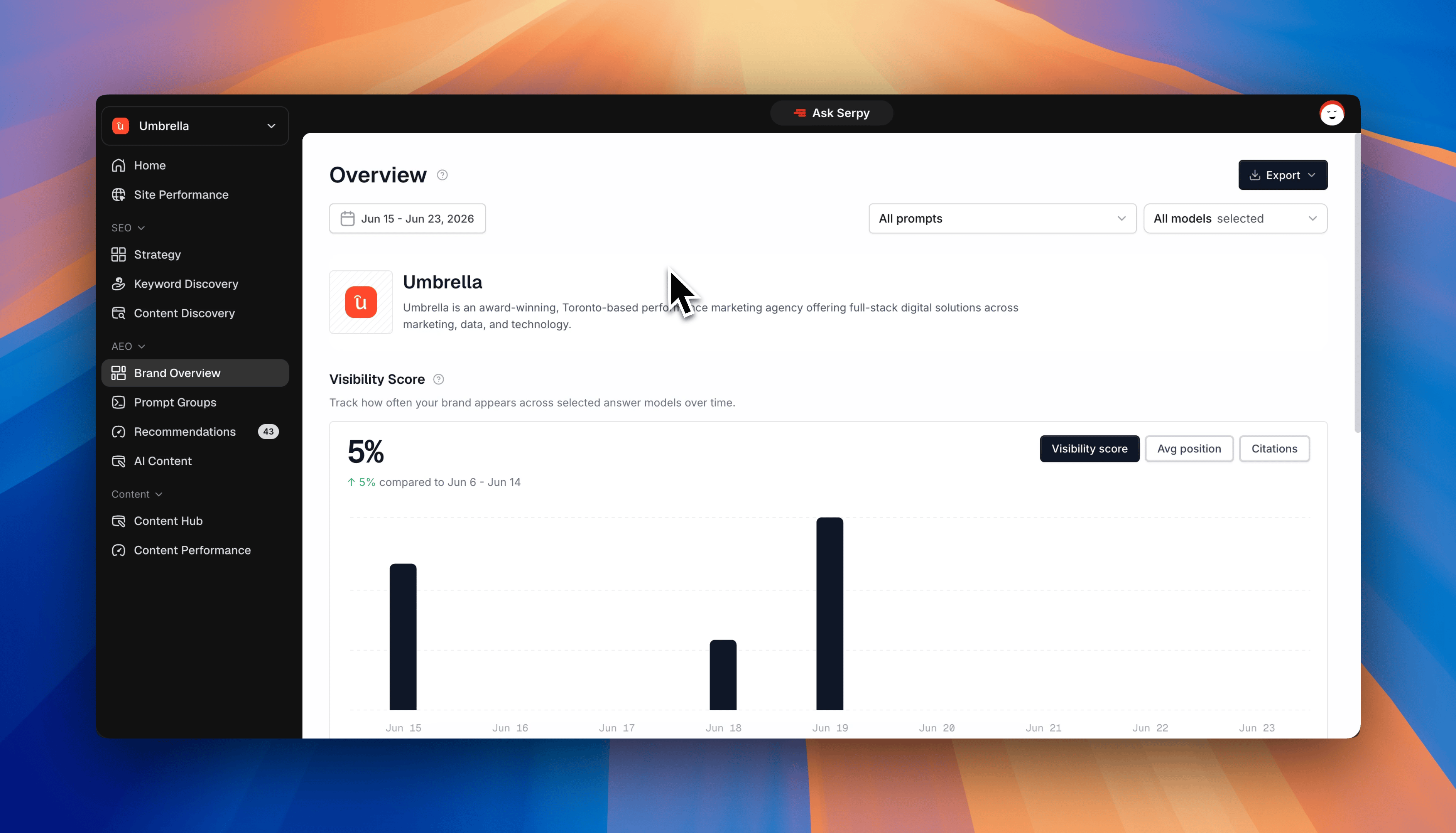
What Brand Overview is for
Brand Overview helps you answer:- How visible is my brand?
- Is my brand appearing more or less over time?
- Where does my brand usually appear in answers?
- How often is my website cited?
- Which sources are appearing most often?
- Which AI models are mentioning my brand?
Visibility score
Visibility score shows how often your brand appears across tracked AI answers. A higher score usually means your brand is being mentioned more often across the prompts and models you are tracking. Use this as a directional metric. The goal is to improve visibility over time, not obsess over one daily change.Average position
Average position shows where your brand usually appears when it is mentioned. For example, if your brand is usually mentioned first or second, your average position will be stronger than if it appears near the bottom of the answer. This helps you understand not just whether you are mentioned, but how prominently you appear.Citations
Citations show when your website is referenced or linked in AI answers. A citation is stronger than a simple brand mention because it means your website is being used as a source. If mentions are increasing but citations are low, you may need stronger content or more useful pages around that topic.Sources
Sources show which websites are being cited or used most often in AI answers. These can include:- your website
- competitor websites
- directories
- review sites
- industry publications
- partner websites
- third-party resources
Model filters
Model filters let you review visibility across different AI platforms. This helps you understand whether your brand performs better in some models than others. For example, you may be visible in one platform but missing from another. If a model is locked on your plan, it may appear unavailable until your plan includes access to it.Date filters
Date filters let you review AI visibility for specific time periods. Use date filters to compare recent performance, review a specific prompt run, or understand how visibility has changed over time. If you select multiple dates, Serpy shows the combined view for that period.Recommended workflow
When reviewing Brand Overview, start with the top-level numbers.- Check your visibility score.
- Review average position.
- Look at citations.
- Check which sources appear most often.
- Use model and date filters to compare results.
- Open related prompt groups for more detail.