

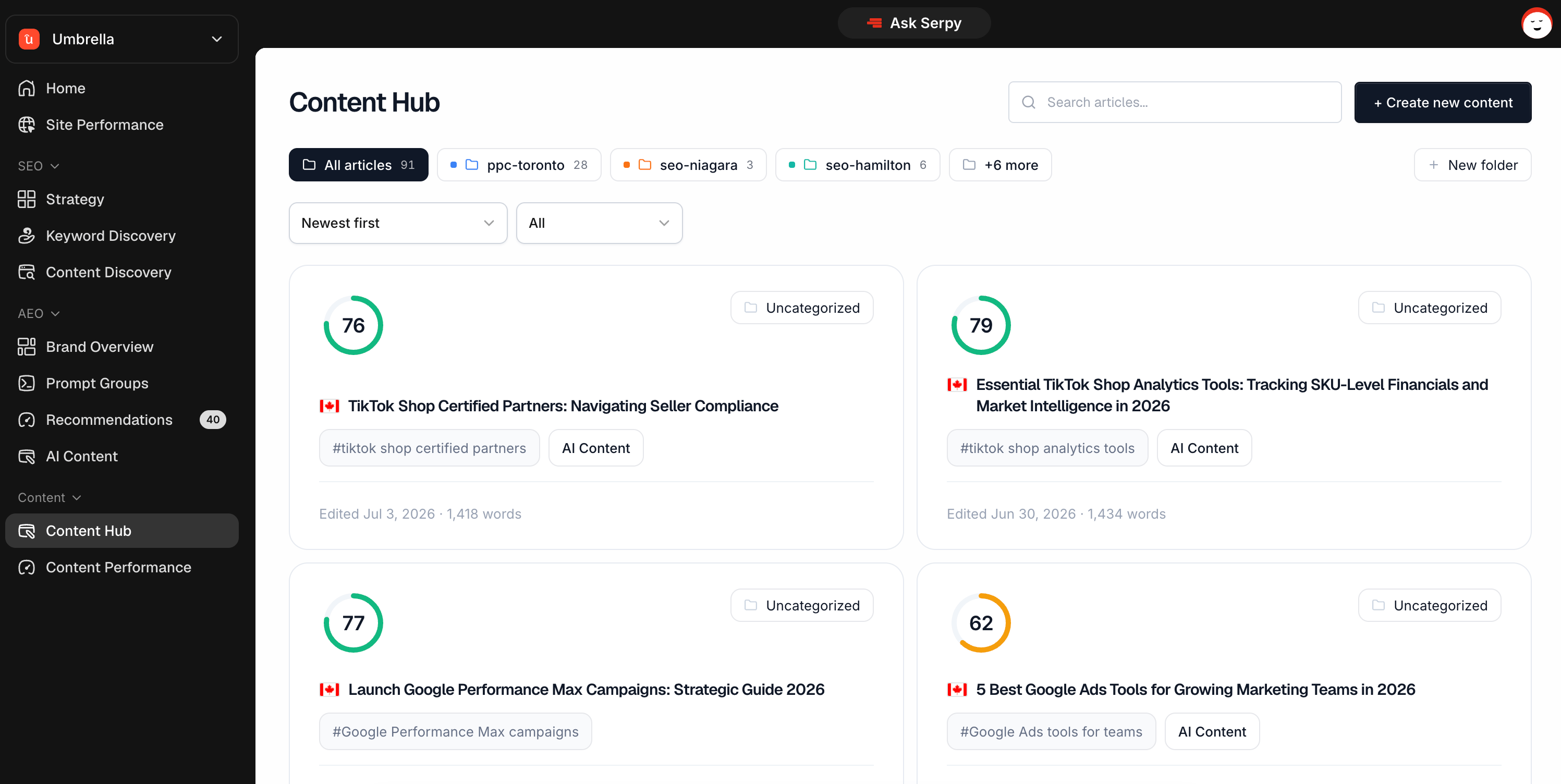
What Content Hub is for
Content Hub is the main place for content creation. You can use it to:- create new content
- generate outlines
- continue editing articles
- organize content into folders
- filter by status
- manage drafts and published content
- create content from keywords, prompts, recommendations, clusters, or scans
How content gets created
Content can start from several places in Serpy. You can create content from:- Content Hub
- recommendations
- prompt groups
- keyword research
- topical clusters
- content discovery scans
- page targeting
- scratch
Folders
Folders help you organize content.
- campaigns
- services
- clients
- topics
- publishing stages
- content types
Statuses
Content statuses help you understand where each article is in the workflow. Common statuses include:- Outline Ready
- Created
- Published
Creating content
Use the Create Content button to start a new article. You’ll choose a keyword, country, content type, custom voice, and any custom instructions before generating an outline. After the outline is ready, you can review it before creating the article.Recommended workflow
A simple content workflow is:- Start from a recommendation, keyword, prompt, or Content Hub.
- Generate an outline.
- Review and adjust the outline.
- Generate the article.
- Edit and optimize in the Content Editor.
- Publish, schedule, or export.