How to connect Webflow
- Go to Settings.
- Open Integrations.
- Choose Webflow.
- Click Connect.
- Connect the Webflow account that owns or manages the site.
- Choose the correct site or collection when prompted.
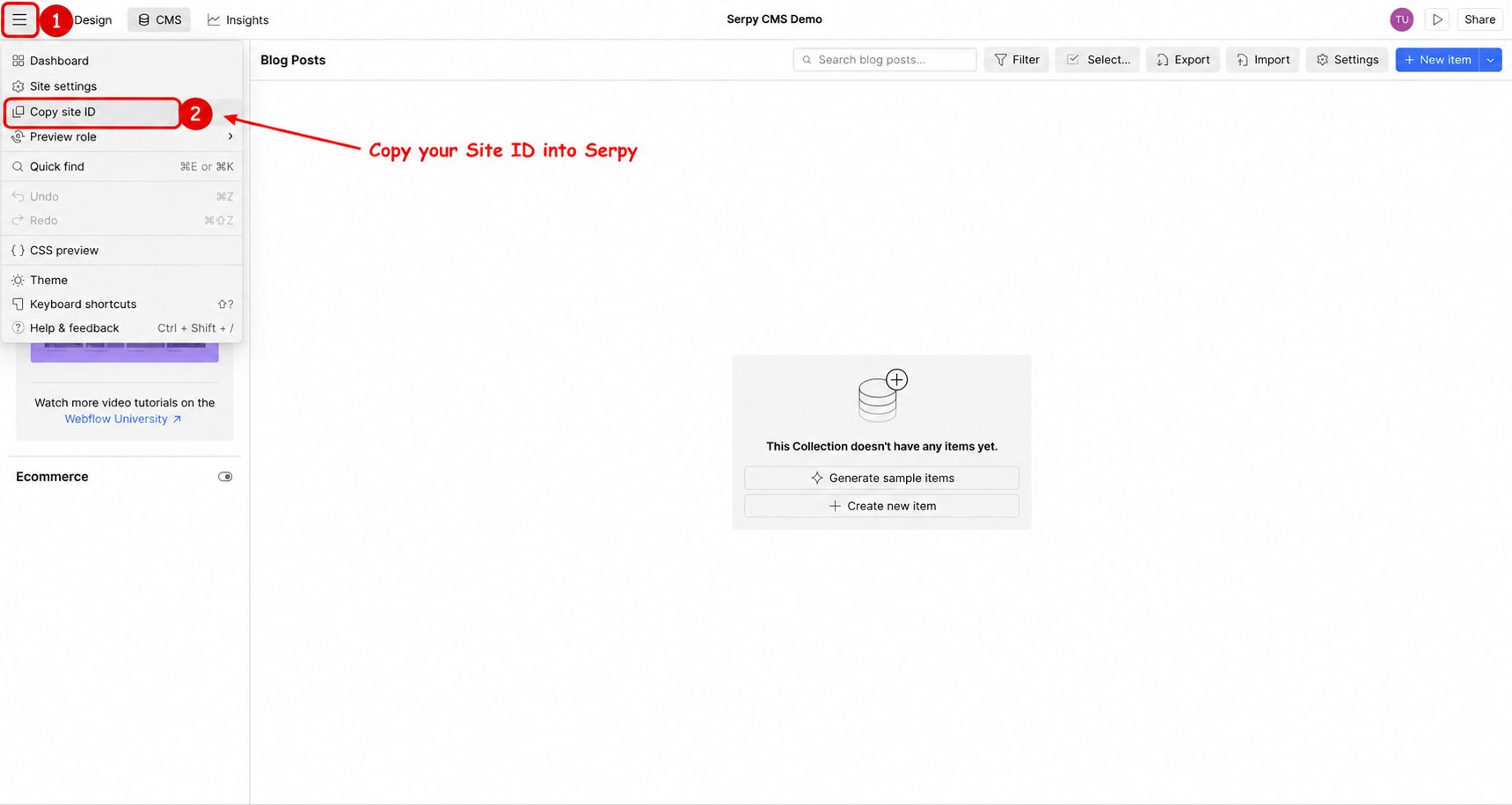
- Open your site in the Webflow Designer.
- Open the Webflow menu, then File.
- Click Copy site ID and paste the value into Serpy.
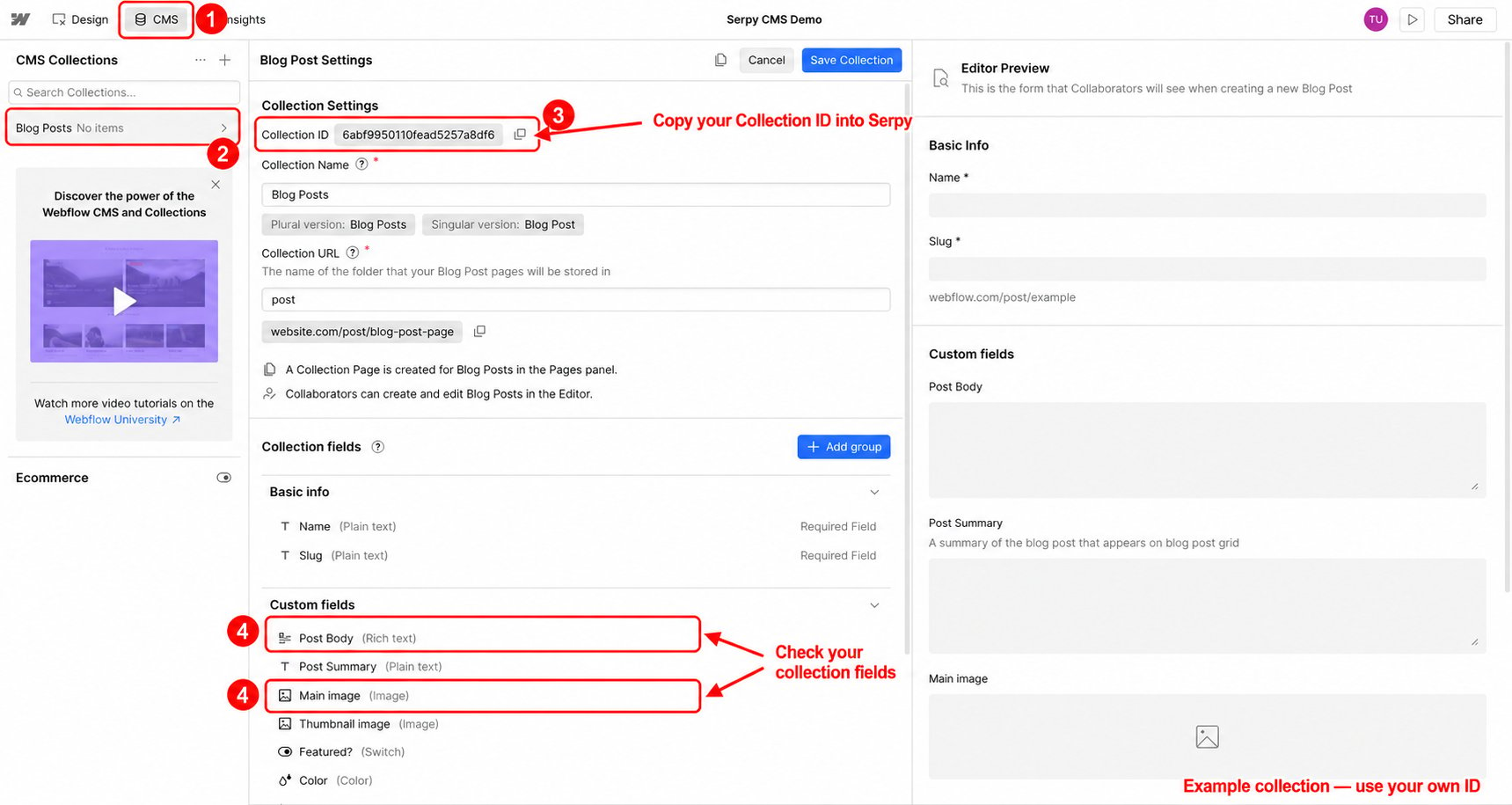
- Open CMS in Webflow.
- Open the blog or article collection you want Serpy to publish to.
- Open the collection settings.
- Copy the Collection ID into Serpy if requested.
- Review your collection fields, including the article body and image fields, to make sure the collection supports your content.
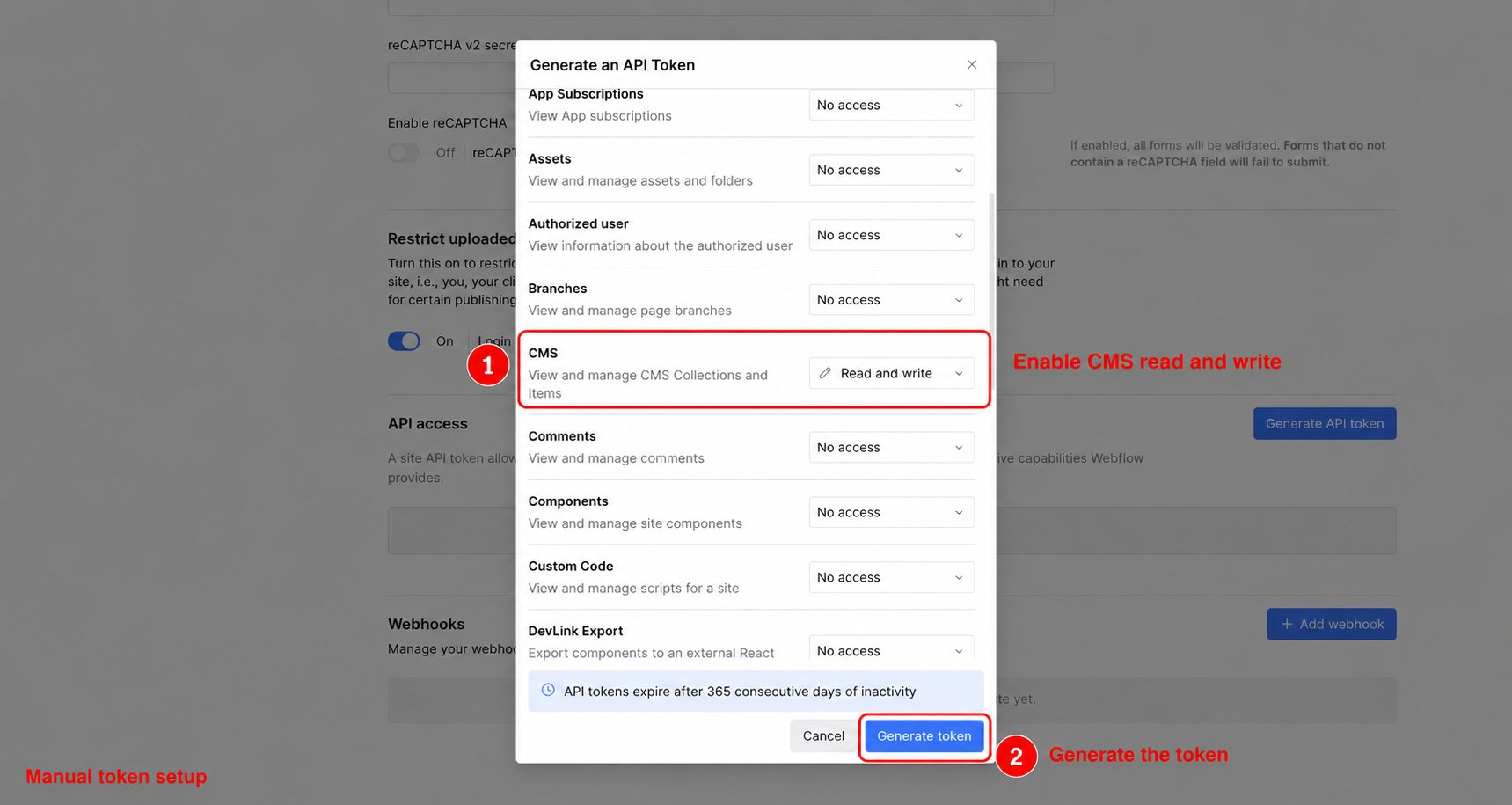
- Open your site’s API token settings and choose Generate API Token.
- Give the token a name.
- Set CMS permissions to Read and write.
- Click Generate token and copy the generated token into Serpy.