How to connect Sanity
- Go to Settings.
- Open Integrations.
- Choose Sanity.
- Click Connect.
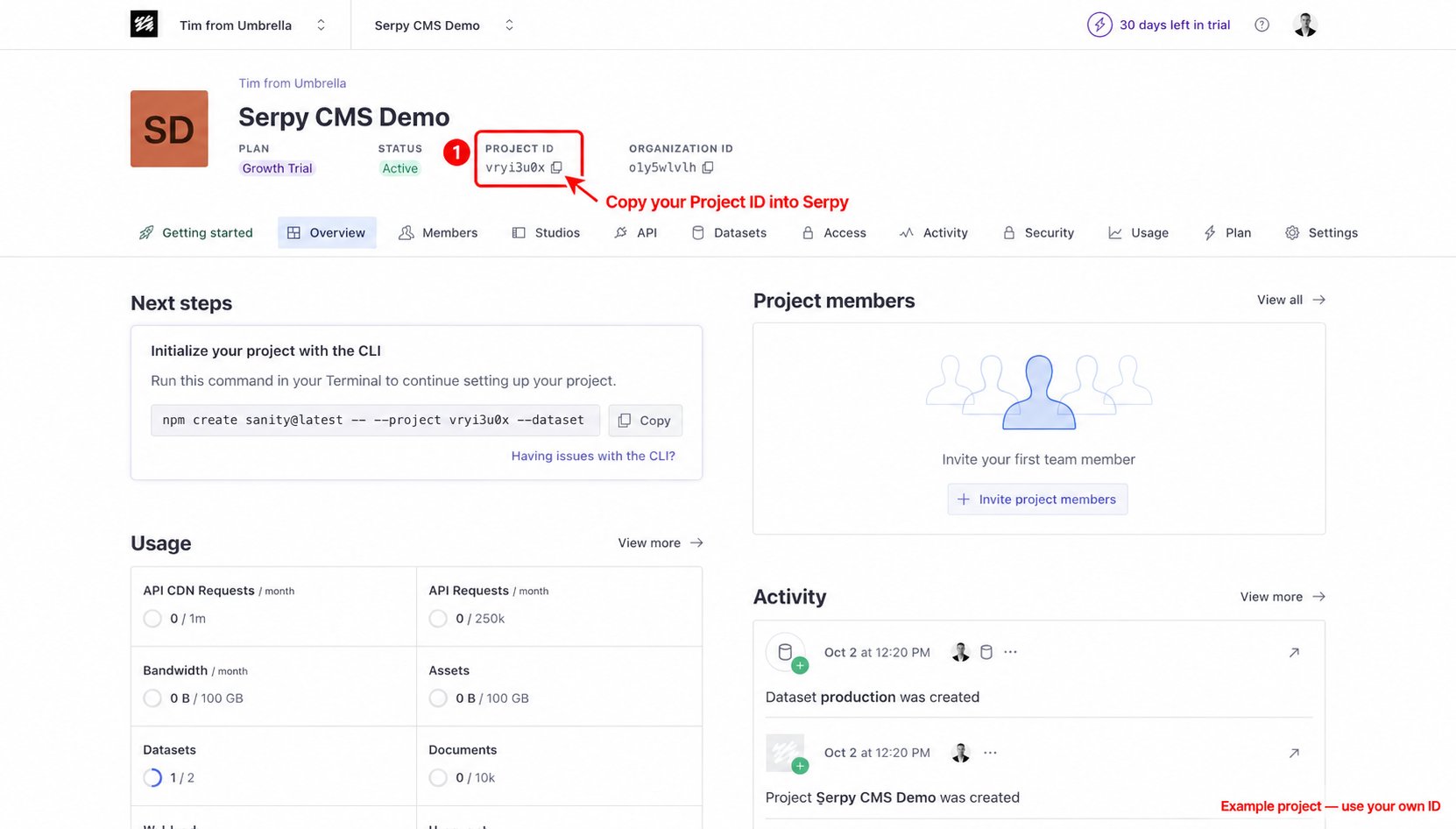
- Open your project in the Sanity management dashboard.
- Find the Project ID on the project overview.
- Click the copy icon and paste your Project ID into Serpy.
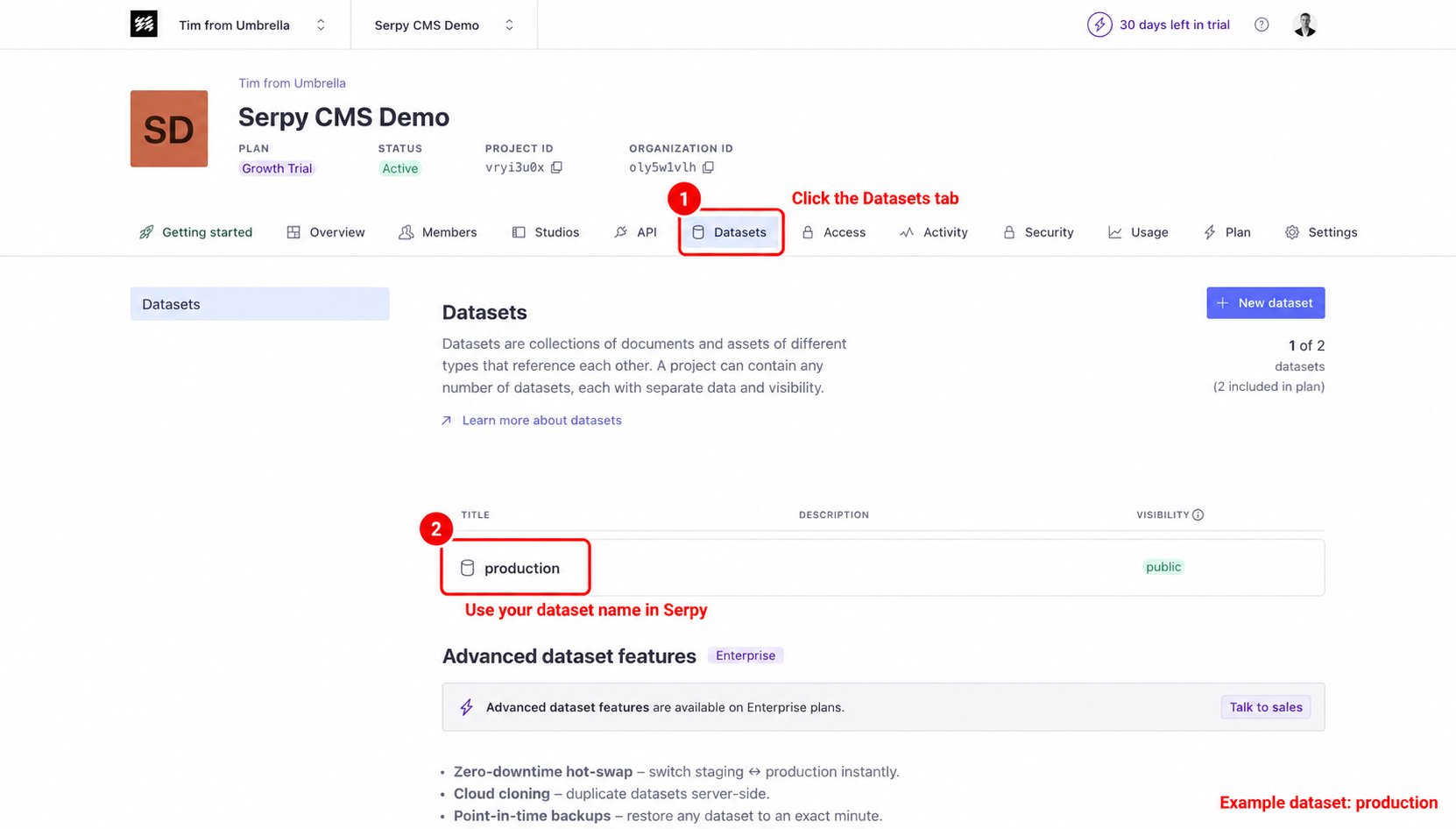
- Open the Datasets tab in your Sanity project.
- Find the dataset you want Serpy to publish to.
- Enter or select that dataset in Serpy when prompted. The example below uses production; use your own dataset name.
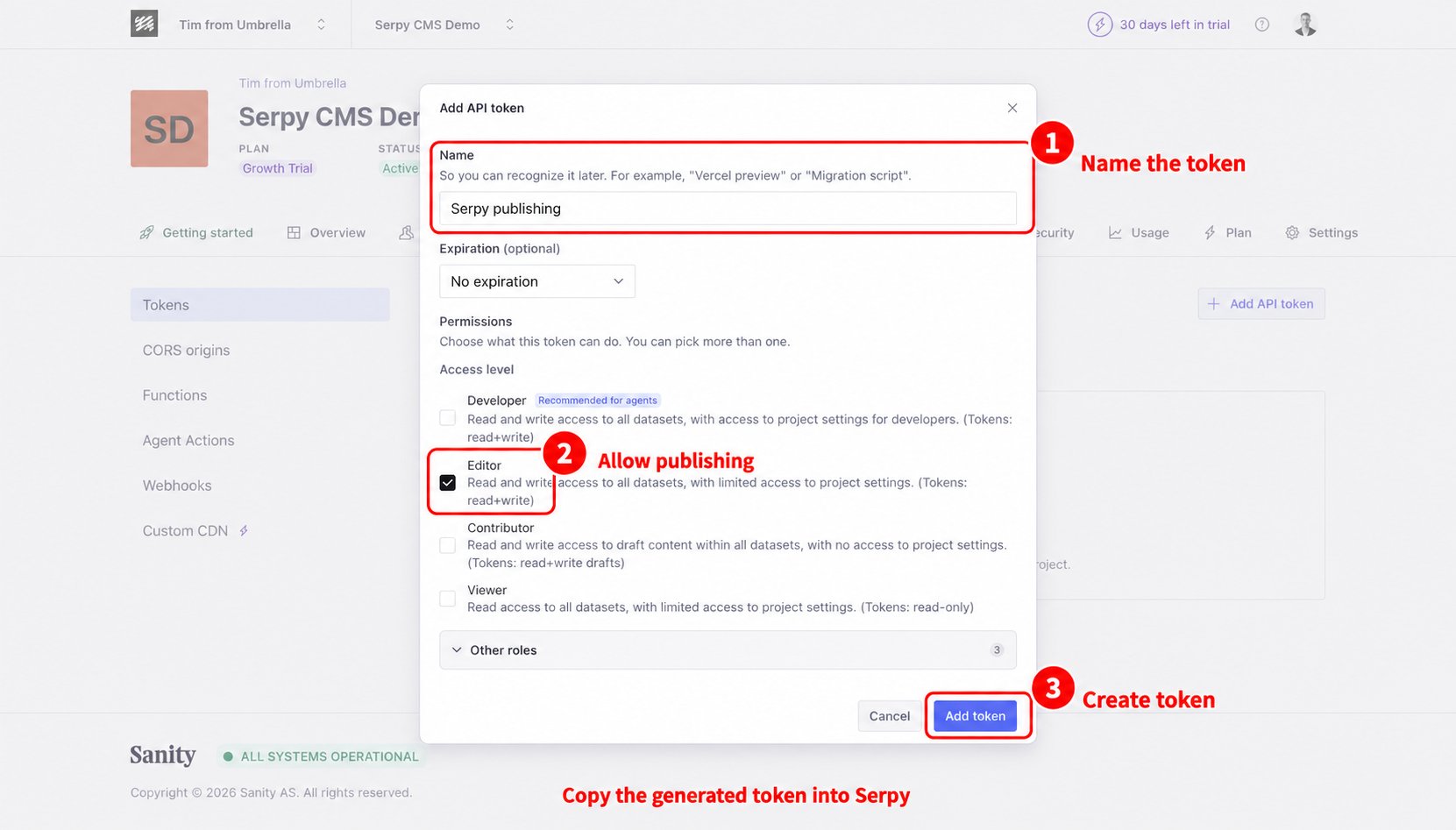
- Open the API tab in your Sanity project.
- Under Tokens, choose Add API token.
- Give the token a name, such as Serpy publishing.
- Choose a role with permission to publish content, such as Editor.
- Click Add token, then copy the generated token into the token field in Serpy.