How to connect Shopify
- Go to Settings.
- Open Integrations.
- Choose Shopify.
- Click Connect.
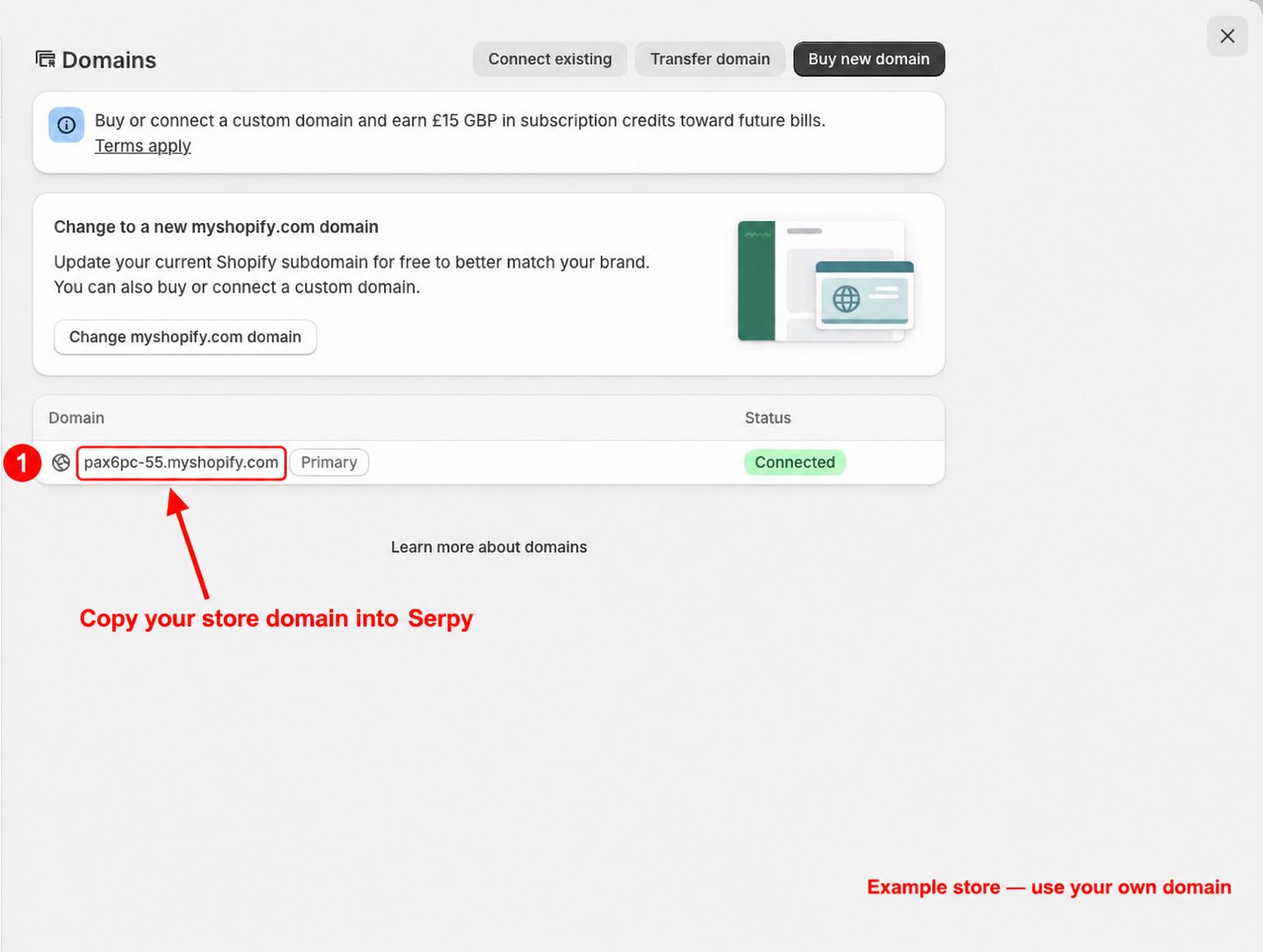
- Open your Shopify admin dashboard.
- Open the store menu and find your myshopify.com domain.
- Copy your own store domain into Serpy when prompted.
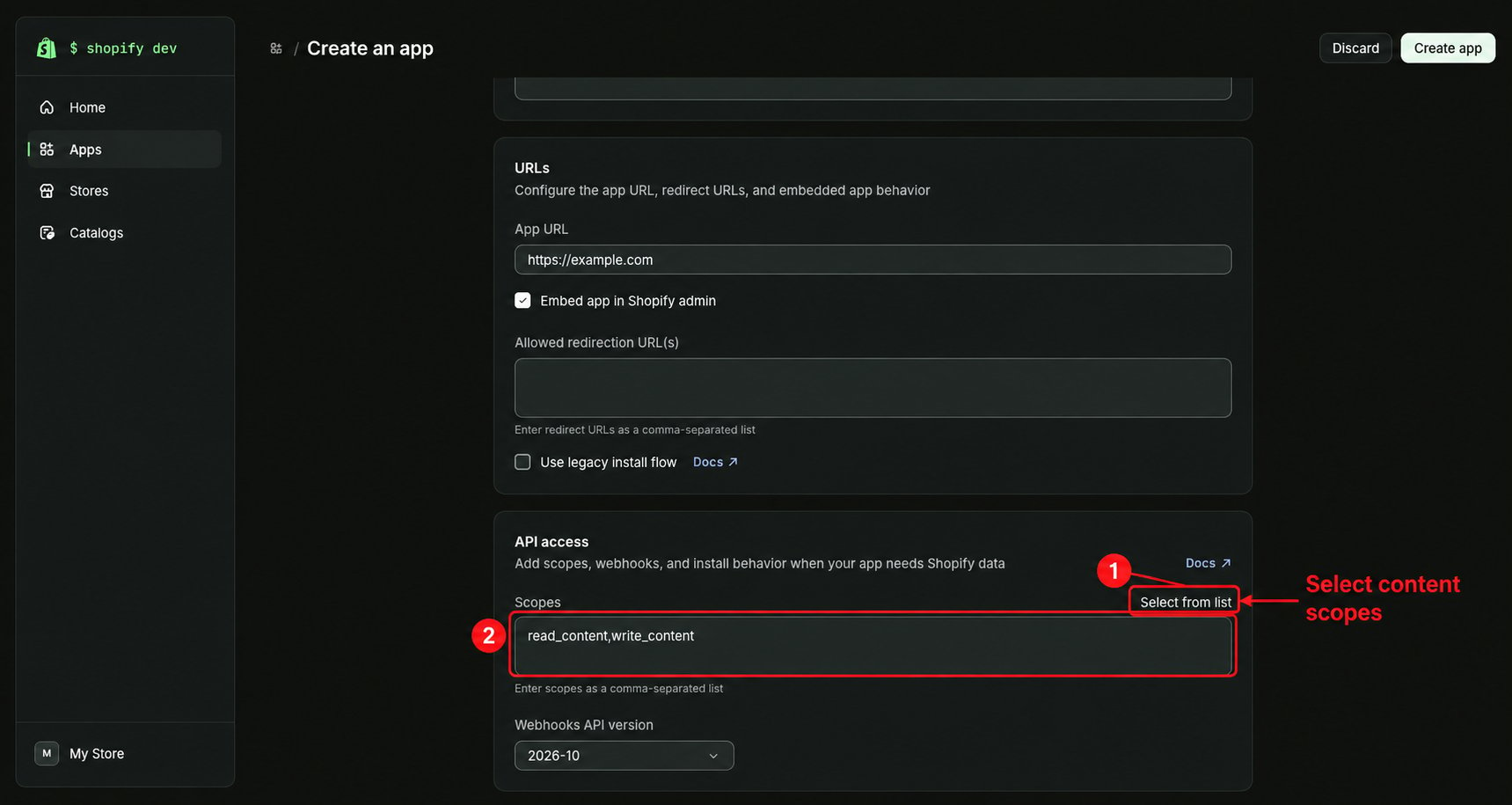
- Open your app’s API access settings in the Shopify Dev Dashboard.
- Under Scopes, choose Select from list.
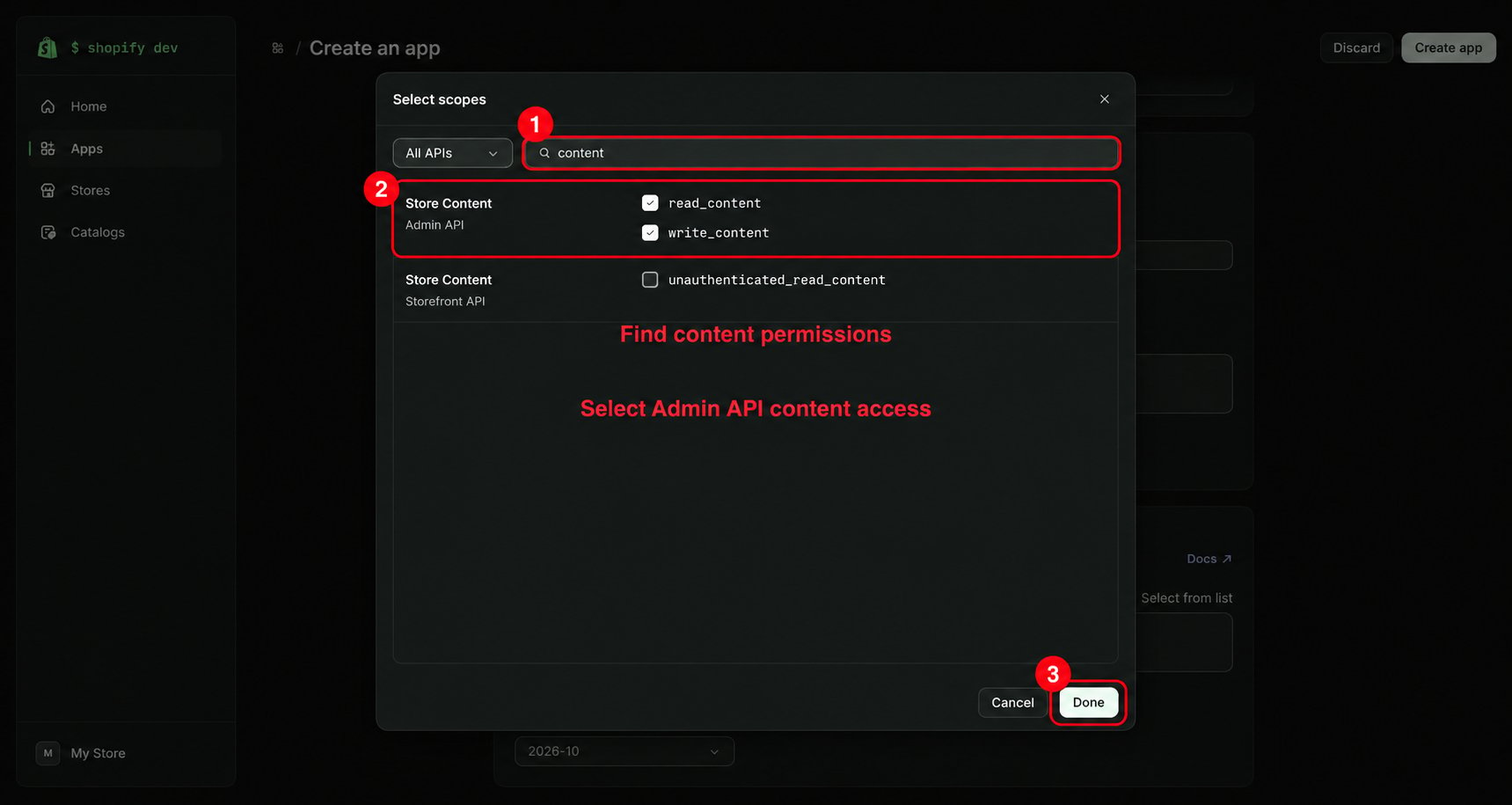
- Search for content.
- Select the Admin API permissions read_content and write_content for reading and publishing blog content.
- Click Done.