Use the Wix integration if your website is built on Wix.

How to connect Wix

  1. Go to Settings.
  2. Open Integrations.
  3. Choose Wix.
  4. Click Connect.
  5. Sign in or add the required Wix connection details.
  6. Choose the correct website.
Set up an API key if requested: If Serpy asks for a Wix API key:
  1. Open API Keys in your Wix account settings.
  2. Choose Generate API Key.
  3. Give the key a name, such as Serpy publishing.
  4. Choose Specific sites and add the website you want Serpy to publish to.
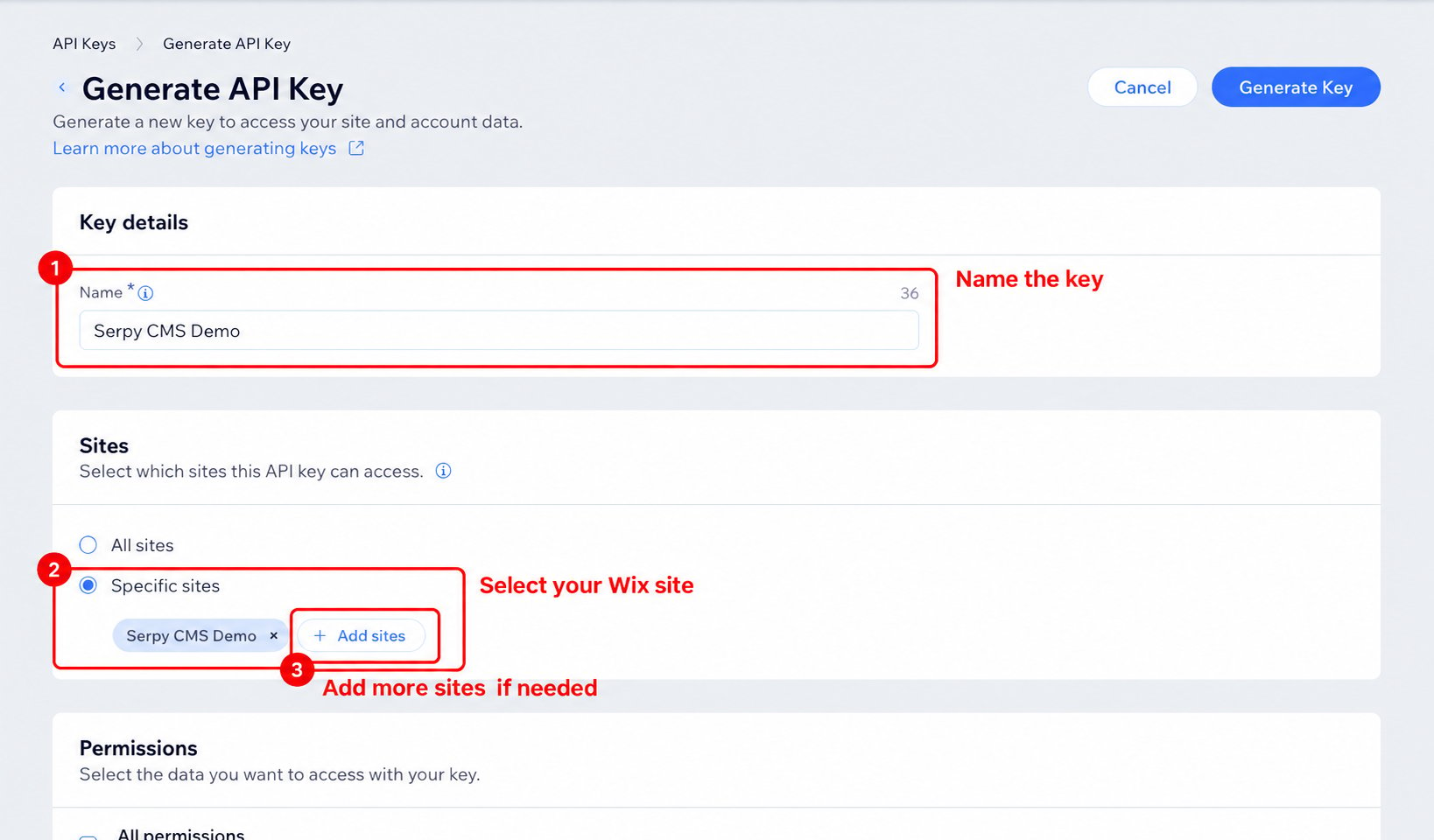
Name the Wix API key and select the publishing site Choose the blog permission:
  1. In the same API key form, find the Wix Blog permission.
  2. Select Wix Blog.
  3. Click Generate Key.
  4. Copy the generated key into Serpy when prompted.
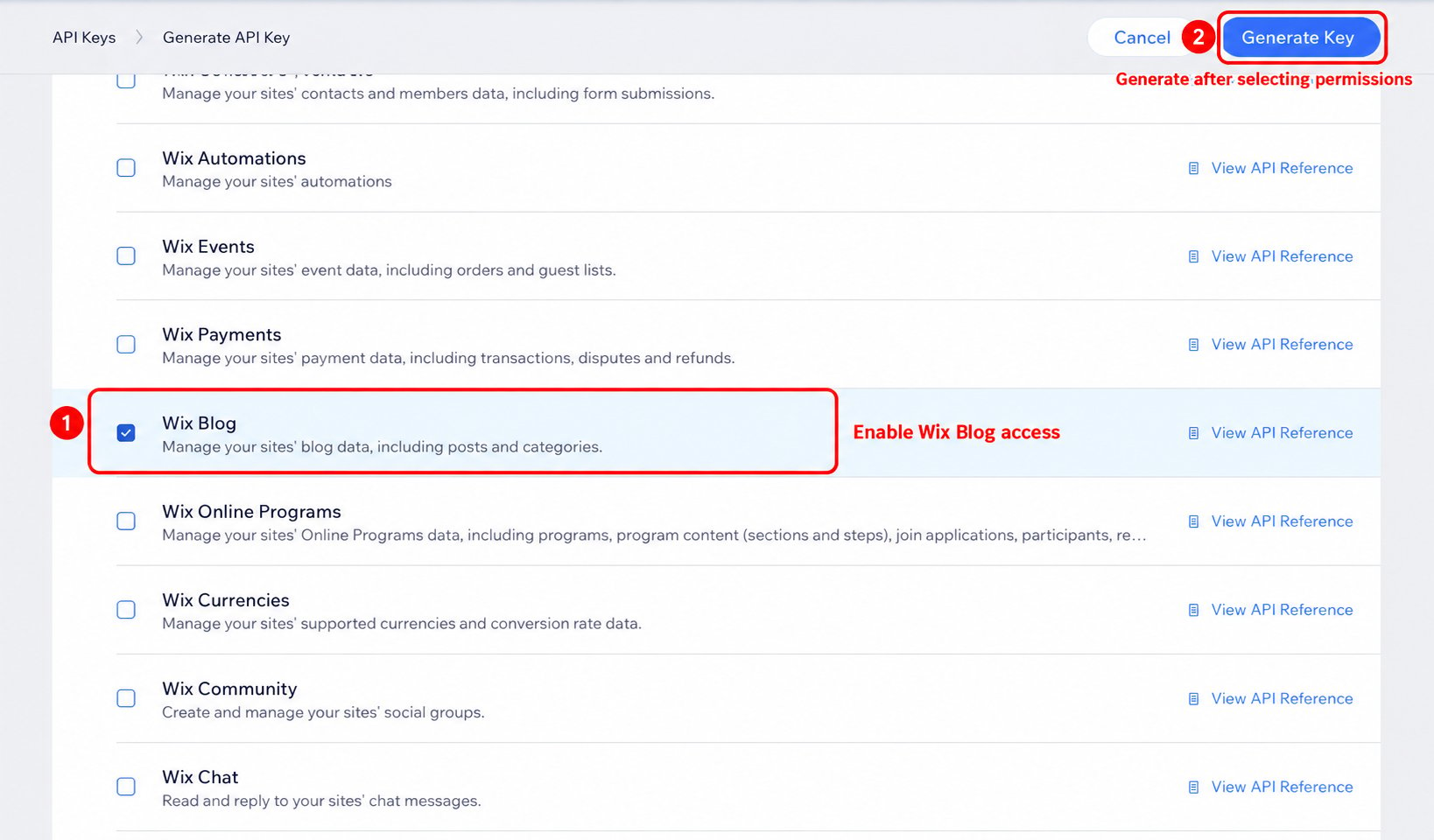
Select the Wix Blog permission and generate the API key Save the connection and test publishing with a draft article.

Tips for Wix

Make sure the connected account has permission to manage the website. Choose the correct Wix site if your account manages more than one. Review the live page after publishing.