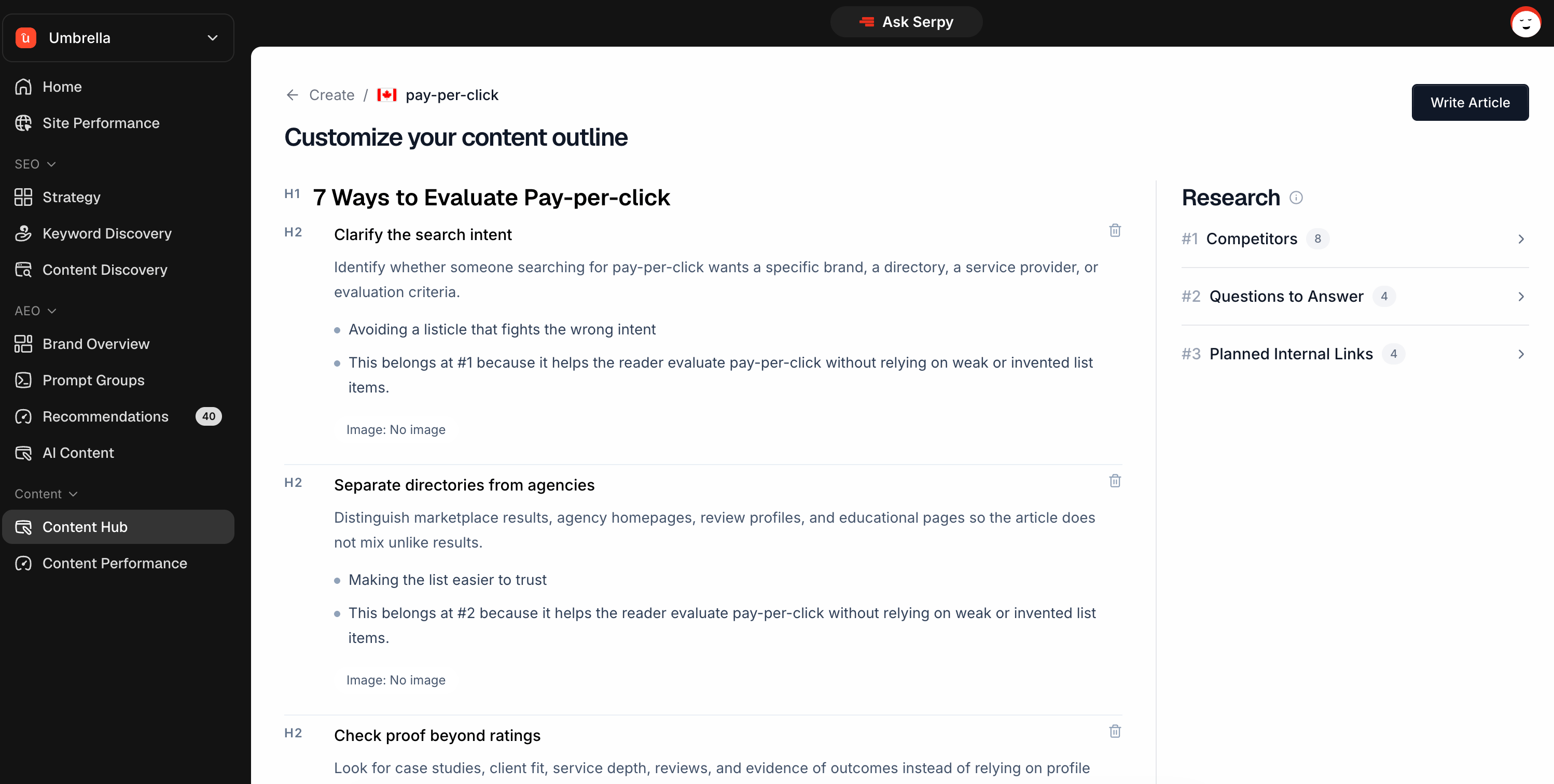
An outline is the plan for your content before the full article is written. It helps you review the structure, angle, research, questions, and sections before generating the final draft.

What an outline is for

The outline gives you a chance to check the direction of the content before creating the article. Use it to review:
  • title
  • content type
  • structure
  • headings
  • questions to answer
  • suggested internal links
  • research
  • metadata suggestions
This helps you catch issues early and make sure the article matches your goal.

How outlines are created

Serpy uses the keyword, country, content type, brand context, custom voice, custom instructions, and available research to prepare the outline. The outline is designed to match the purpose of the content type. For example:
  • a listicle may include list items
  • a how-to guide may include steps
  • a service page may include benefits and process sections
  • a location page may include local trust signals and FAQs

Reviewing the outline

Before generating the article, review the outline carefully. Check:
  • Does the title match the topic?
  • Does the structure make sense?
  • Are the headings useful?
  • Are important questions included?
  • Does the angle fit your business?
  • Is anything missing?
  • Is anything irrelevant?
If needed, adjust the outline before moving forward.

Research column

The research column shows supporting information used to plan the outline. Depending on the content type, this may include:
  • competitors
  • page structure
  • questions to answer
  • planned internal links
  • related research
Use this section to understand why the outline is structured the way it is.

Competitors

Competitors may show pages or results related to the keyword or topic. Use this to understand what already exists in the market and what the content may need to compete with.

Structure

Structure shows heading patterns from relevant pages when available. This can help you understand the common sections, depth, and organization used by competing pages. Not every content type will include structure research.

Questions to answer

Questions to answer are questions the content should cover. These are useful for making the article more helpful and complete. Review them before generating the article to make sure important reader questions are included. Planned internal links suggest places where the article may naturally link to other pages on your website. Internal links help connect your content and guide readers to related pages. You can review and adjust these later in the Content Editor.

Generating the article

Once the outline looks good, generate the article. After the article is created, it will open in the Content Editor where you can edit, optimize, publish, schedule, or export it.

If outline generation fails

If Serpy is unable to create the outline, you may see a retry option. Use Regenerate to try again. If the issue continues, you can report it with the details shown on the page.

Tips

Always review the outline before generating the article. Check that the title, sections, and questions match the goal. Use custom instructions if you need a specific angle. Do not generate the article if the outline is clearly off-topic. Use the research column to understand the outline direction.