> ## Documentation Index
> Fetch the complete documentation index at: https://docs.serpyseo.com/llms.txt
> Use this file to discover all available pages before exploring further.
# Connect Webflow
Use the Webflow integration if your website content is managed in Webflow CMS.
## How to connect Webflow
1. Go to Settings.
2. Open Integrations.
3. Choose Webflow.
4. Click Connect.
5. Connect the Webflow account that owns or manages the site.
6. Choose the correct site or collection when prompted.
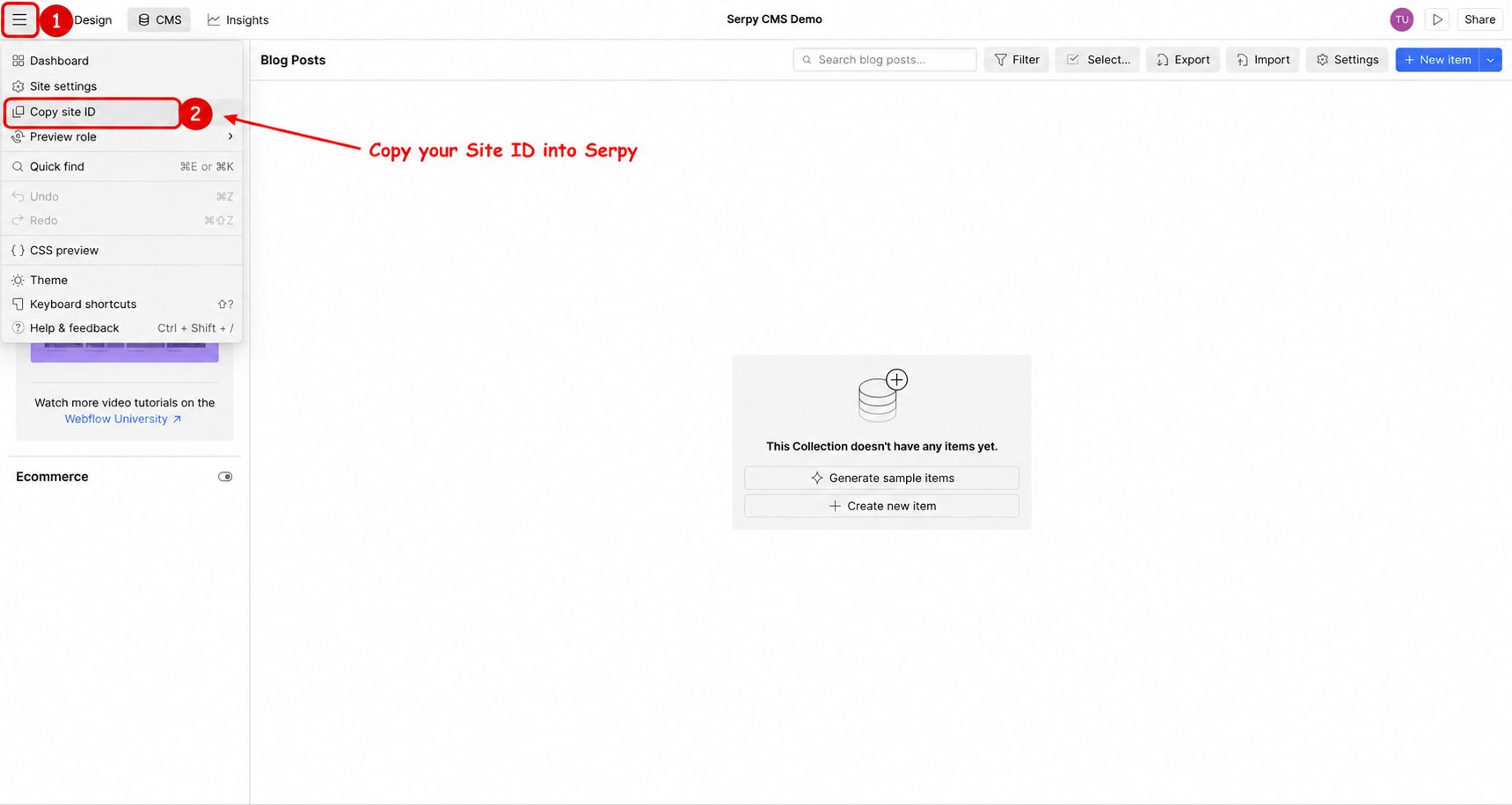
**Find your Site ID:**
If Serpy asks for your Site ID:
1. Open your site in the Webflow Designer.
2. Open the Webflow menu, then File.
3. Click Copy site ID and paste the value into Serpy.
 **Find your Collection ID:**
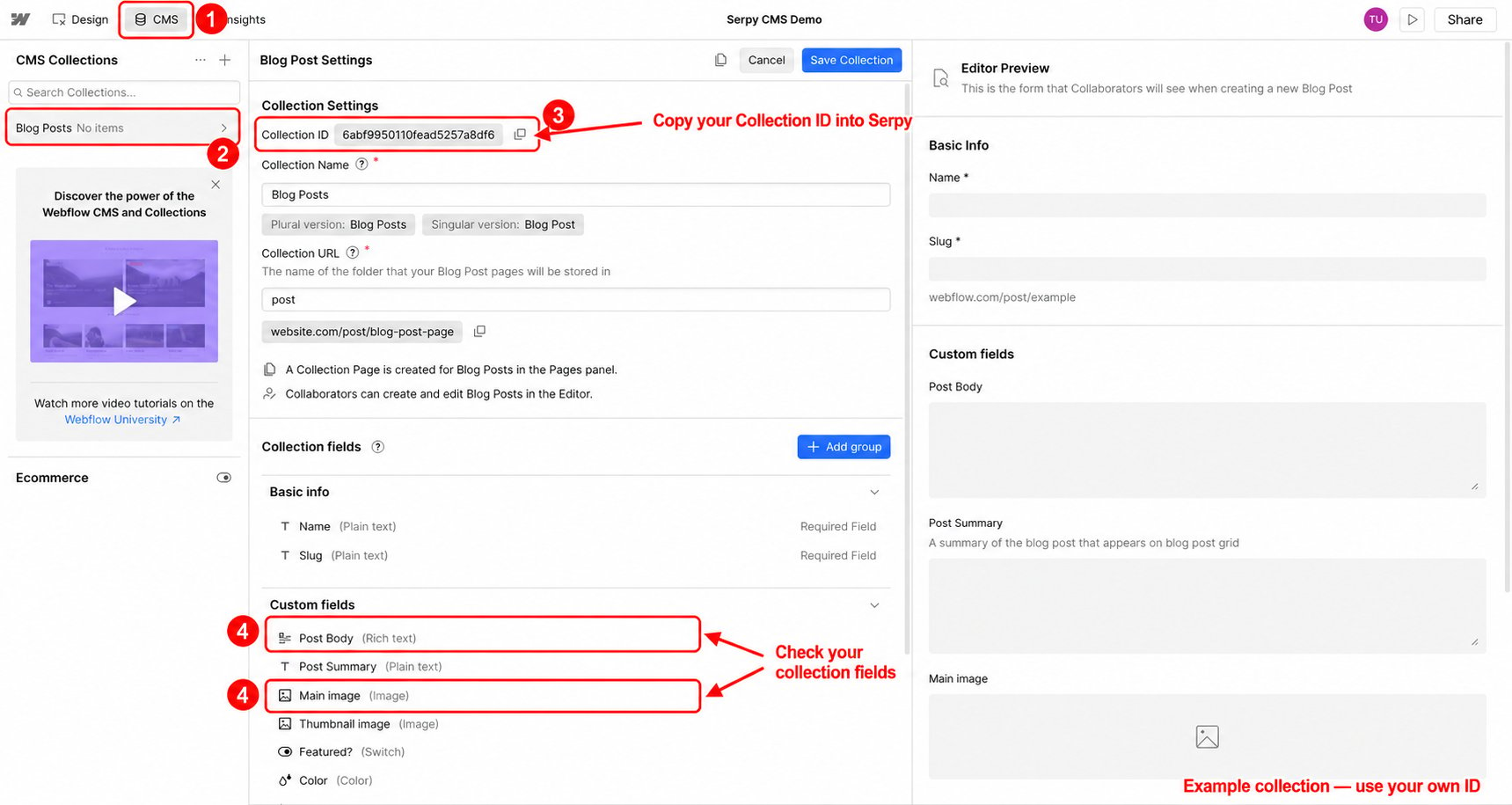
1. Open CMS in Webflow.
2. Open the blog or article collection you want Serpy to publish to.
3. Open the collection settings.
4. Copy the Collection ID into Serpy if requested.
5. Review your collection fields, including the article body and image fields, to make sure the collection supports your content.
**Find your Collection ID:**
1. Open CMS in Webflow.
2. Open the blog or article collection you want Serpy to publish to.
3. Open the collection settings.
4. Copy the Collection ID into Serpy if requested.
5. Review your collection fields, including the article body and image fields, to make sure the collection supports your content.
 **Add an API token if requested:**
If your connection asks for a site API token:
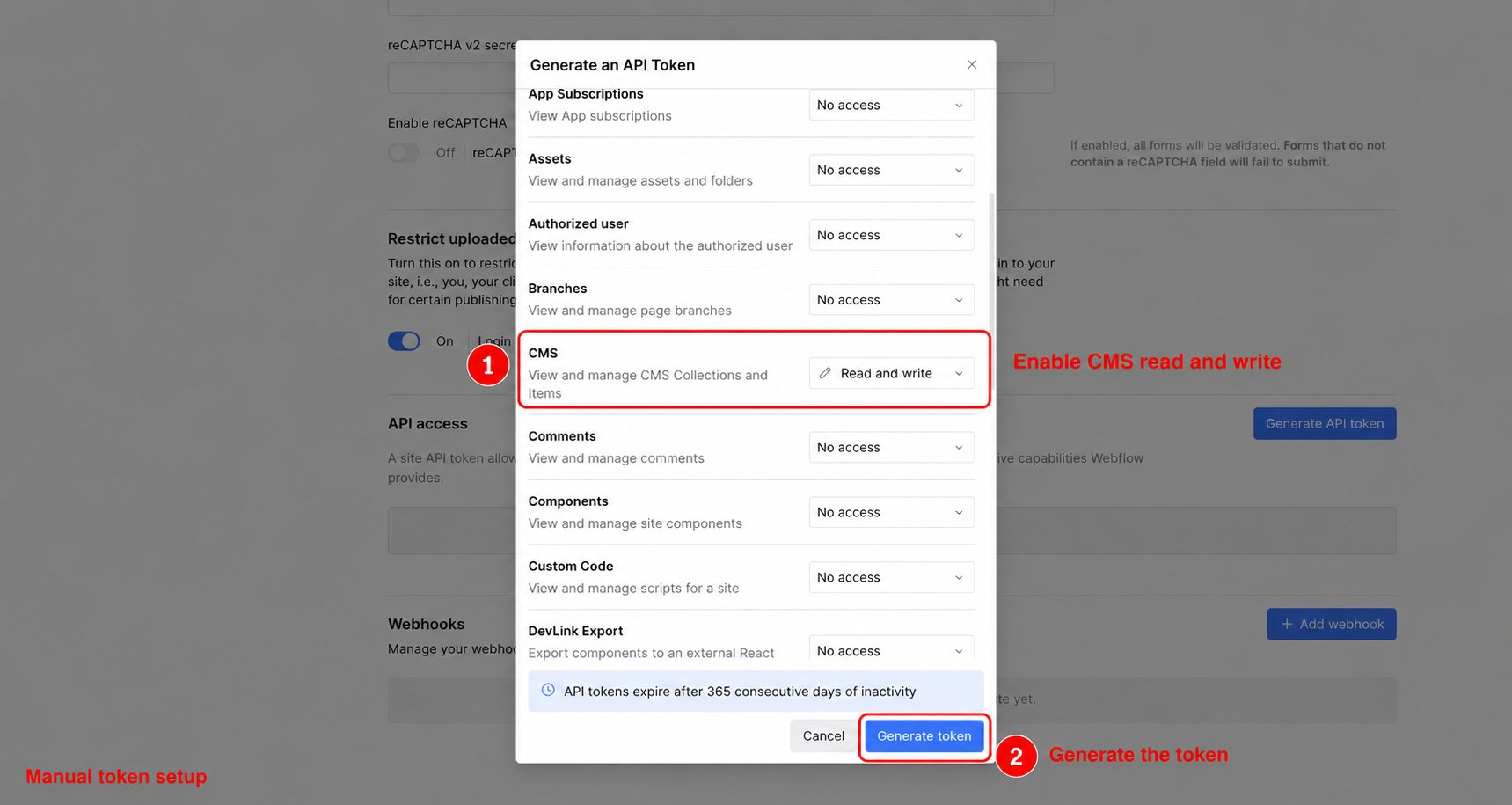
1. Open your site's API token settings and choose Generate API Token.
2. Give the token a name.
3. Set CMS permissions to Read and write.
4. Click Generate token and copy the generated token into Serpy.
**Add an API token if requested:**
If your connection asks for a site API token:
1. Open your site's API token settings and choose Generate API Token.
2. Give the token a name.
3. Set CMS permissions to Read and write.
4. Click Generate token and copy the generated token into Serpy.
 Save the connection and test publishing with a draft article.
## Tips for Webflow
Make sure the correct Webflow site is selected.
Confirm that your blog or article collection is set up correctly.
Review published content in Webflow before setting it live if your workflow requires approval.
This documentation is built and hosted on [Mintlify](https://mintlify.com), a developer documentation platform.
Save the connection and test publishing with a draft article.
## Tips for Webflow
Make sure the correct Webflow site is selected.
Confirm that your blog or article collection is set up correctly.
Review published content in Webflow before setting it live if your workflow requires approval.
This documentation is built and hosted on [Mintlify](https://mintlify.com), a developer documentation platform.