> ## Documentation Index
> Fetch the complete documentation index at: https://docs.serpyseo.com/llms.txt
> Use this file to discover all available pages before exploring further.
# Connect Shopify
Use the Shopify integration if your website or blog is managed through Shopify.
## How to connect Shopify
1. Go to Settings.
2. Open Integrations.
3. Choose Shopify.
4. Click Connect.
**Add your store details:**
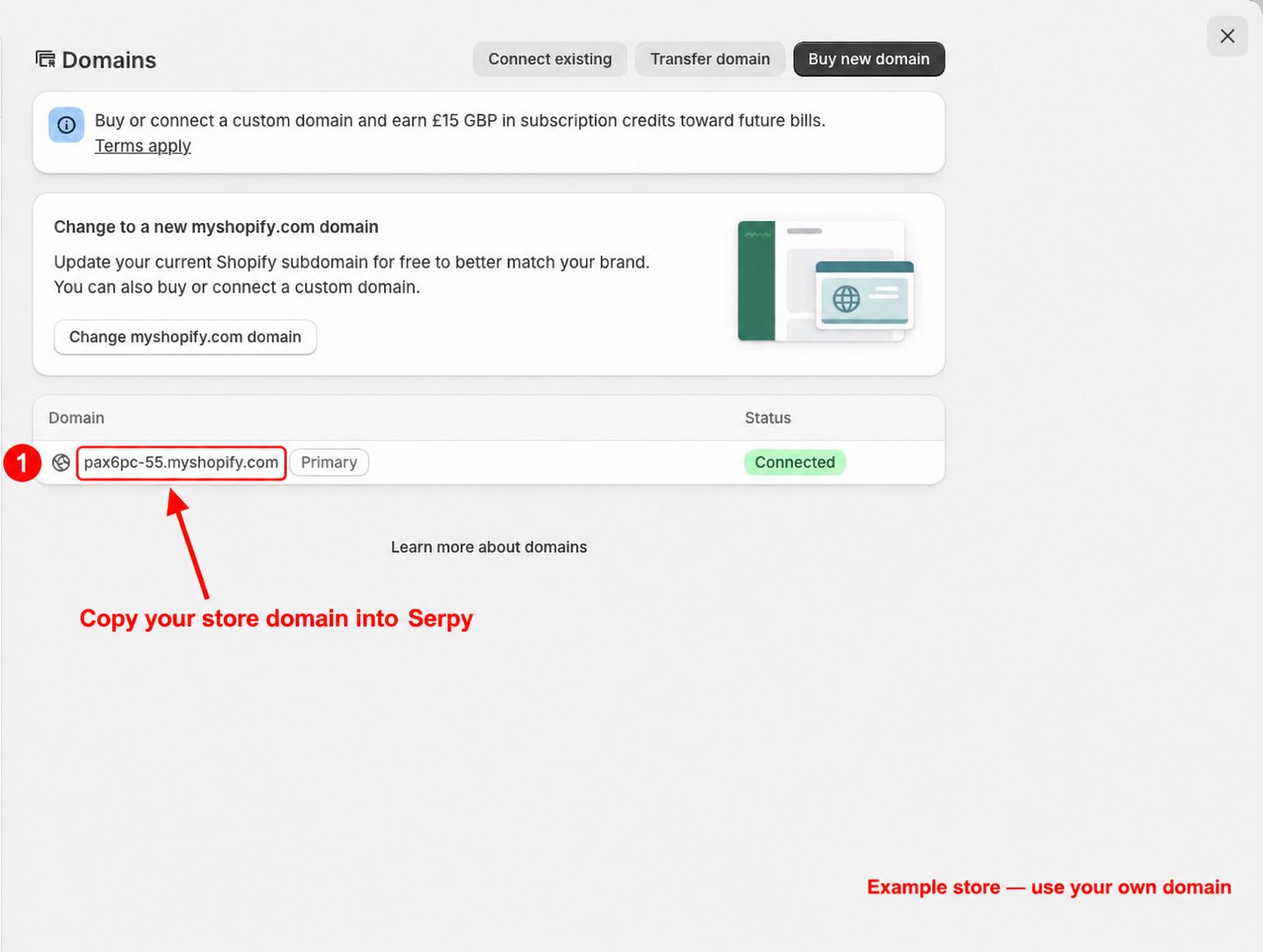
1. Open your Shopify admin dashboard.
2. Open the store menu and find your **myshopify.com** domain.
3. Copy your own store domain into Serpy when prompted.
 **Add your access credentials:**
Follow the connection prompts in Serpy. If your setup requires an app and access credentials, the screenshots below show where to configure blog content permissions in the Shopify Dev Dashboard.
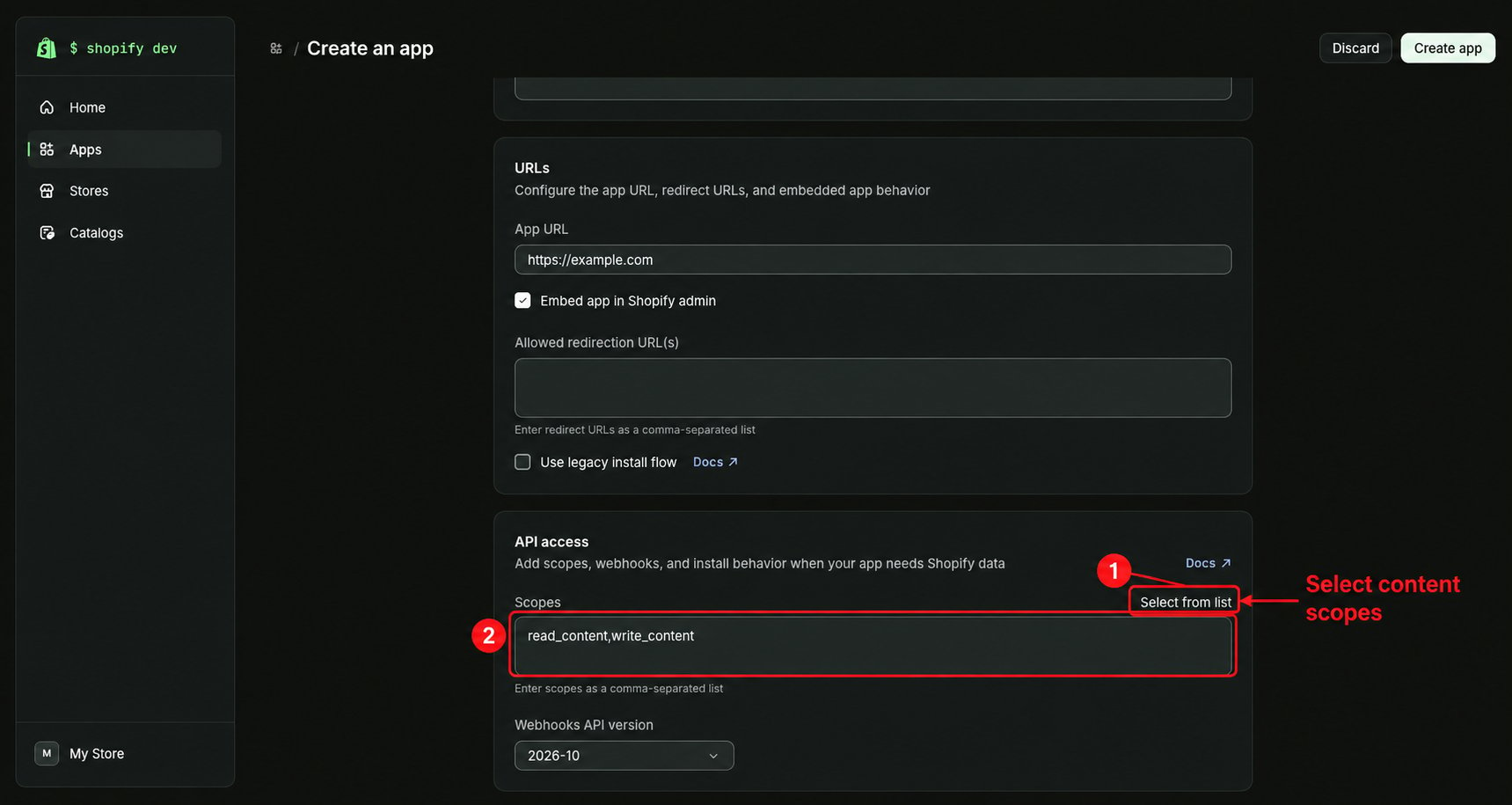
1. Open your app's API access settings in the Shopify Dev Dashboard.
2. Under Scopes, choose Select from list.
**Add your access credentials:**
Follow the connection prompts in Serpy. If your setup requires an app and access credentials, the screenshots below show where to configure blog content permissions in the Shopify Dev Dashboard.
1. Open your app's API access settings in the Shopify Dev Dashboard.
2. Under Scopes, choose Select from list.
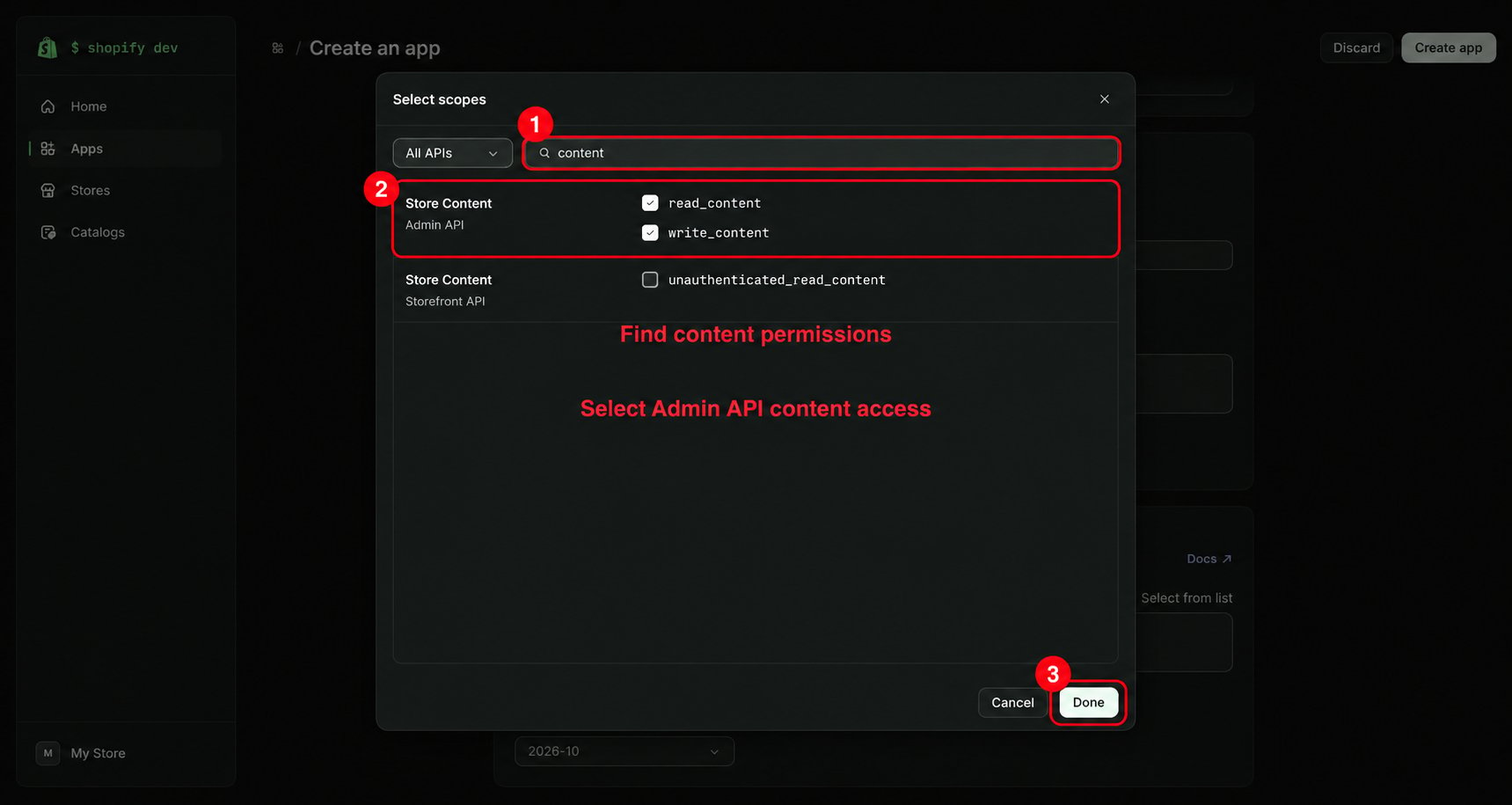
 3. Search for **content**.
4. Select the Admin API permissions **read\_content** and **write\_content** for reading and publishing blog content.
5. Click Done.
3. Search for **content**.
4. Select the Admin API permissions **read\_content** and **write\_content** for reading and publishing blog content.
5. Click Done.
 Complete the app setup and obtain the access credentials required by your connection. Add those credentials to Serpy, save the connection, and test publishing with a draft article.
## Tips for Shopify
Make sure you are using the correct Shopify store.
The connected account should have permission to manage blog content.
If you use multiple Shopify blogs, confirm where Serpy should publish content.
This documentation is built and hosted on [Mintlify](https://mintlify.com), a developer documentation platform.
Complete the app setup and obtain the access credentials required by your connection. Add those credentials to Serpy, save the connection, and test publishing with a draft article.
## Tips for Shopify
Make sure you are using the correct Shopify store.
The connected account should have permission to manage blog content.
If you use multiple Shopify blogs, confirm where Serpy should publish content.
This documentation is built and hosted on [Mintlify](https://mintlify.com), a developer documentation platform.