> ## Documentation Index
> Fetch the complete documentation index at: https://docs.serpyseo.com/llms.txt
> Use this file to discover all available pages before exploring further.
# Connect Sanity
Use the Sanity integration if your website uses Sanity as a headless CMS.
## How to connect Sanity
1. Go to Settings.
2. Open Integrations.
3. Choose Sanity.
4. Click Connect.
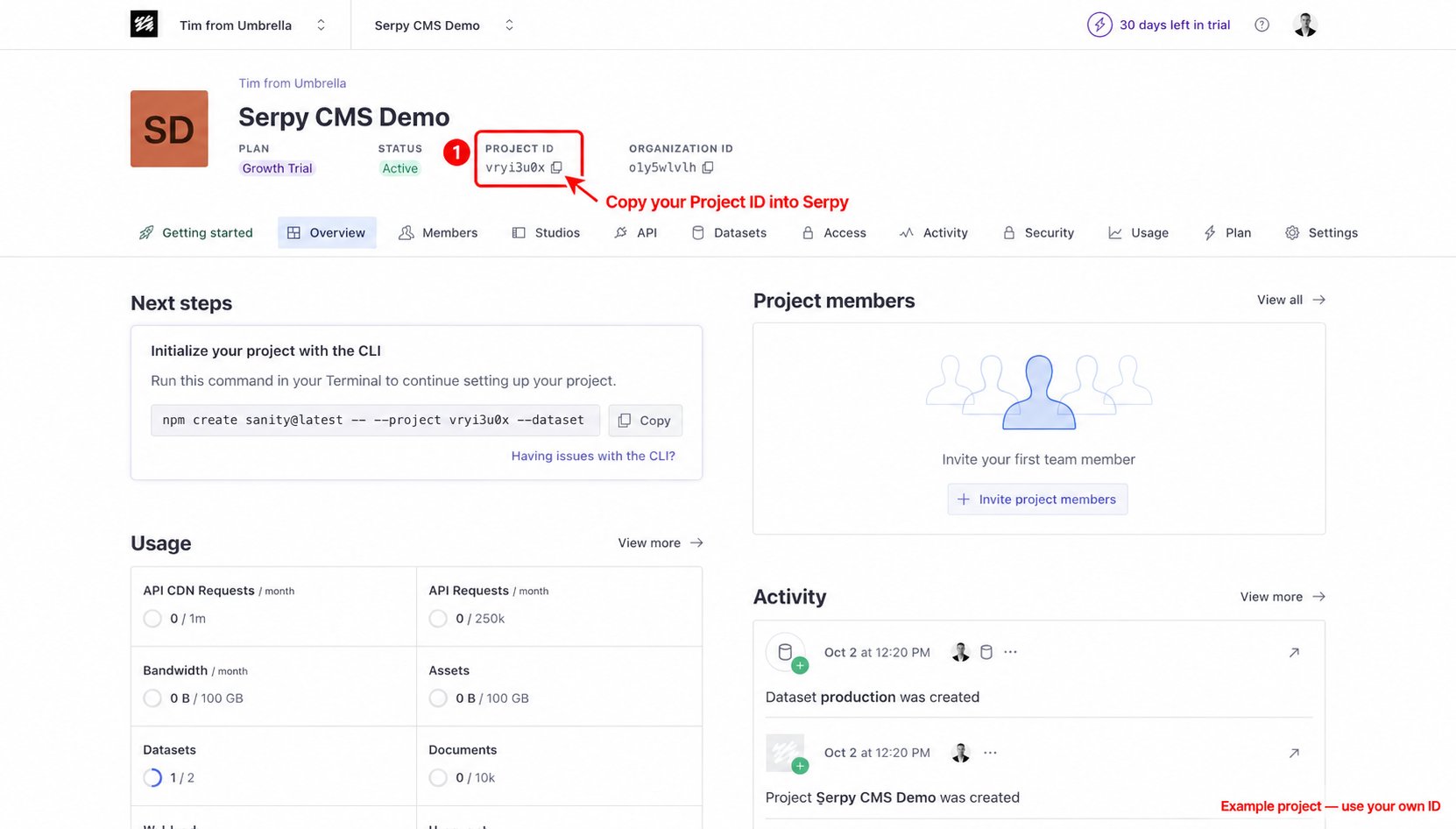
**Add your Project ID:**
1. Open your project in the Sanity management dashboard.
2. Find the Project ID on the project overview.
3. Click the copy icon and paste your Project ID into Serpy.
 **Choose your dataset:**
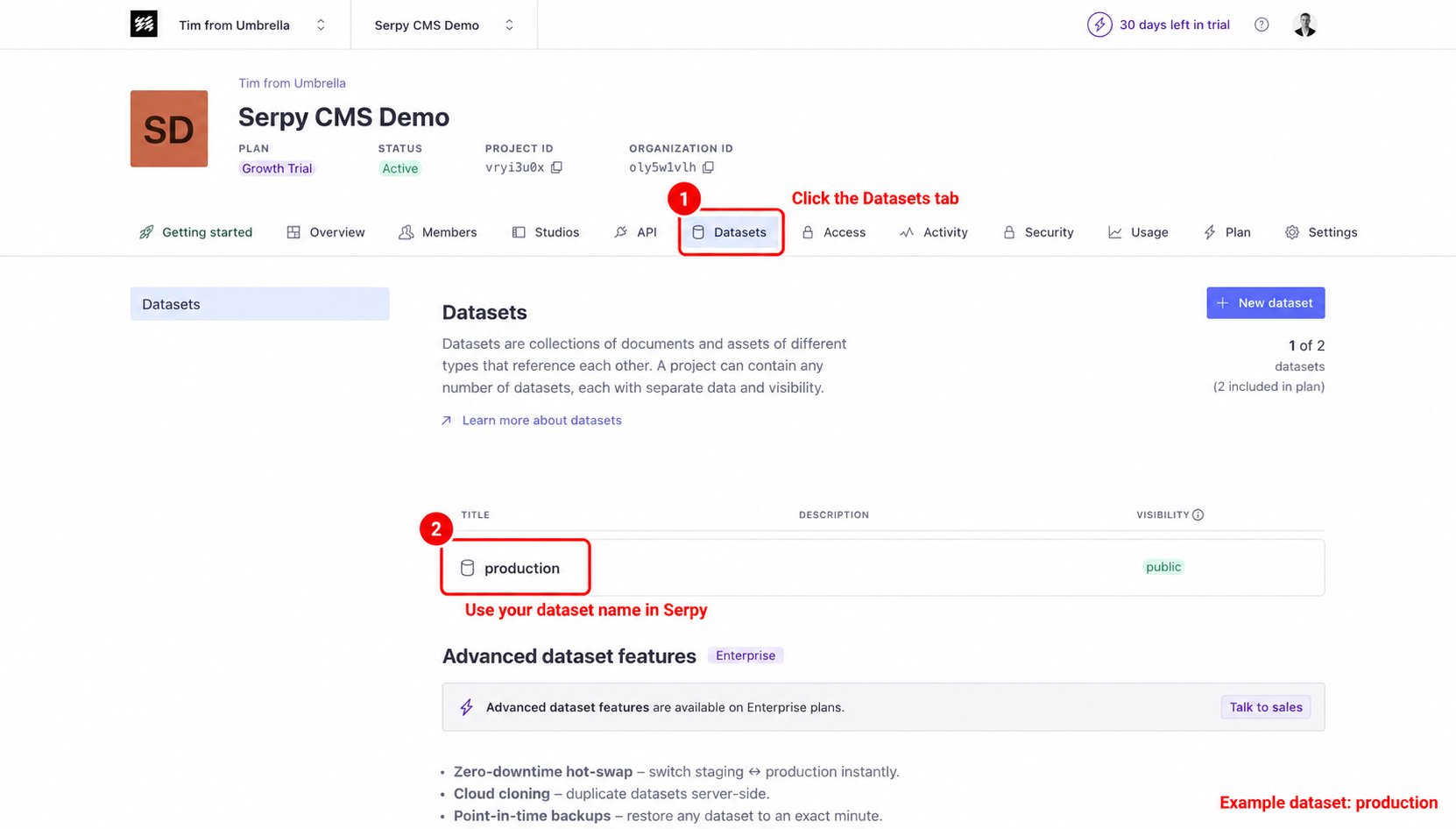
1. Open the Datasets tab in your Sanity project.
2. Find the dataset you want Serpy to publish to.
3. Enter or select that dataset in Serpy when prompted. The example below uses **production**; use your own dataset name.
**Choose your dataset:**
1. Open the Datasets tab in your Sanity project.
2. Find the dataset you want Serpy to publish to.
3. Enter or select that dataset in Serpy when prompted. The example below uses **production**; use your own dataset name.
 **Add your API token:**
1. Open the API tab in your Sanity project.
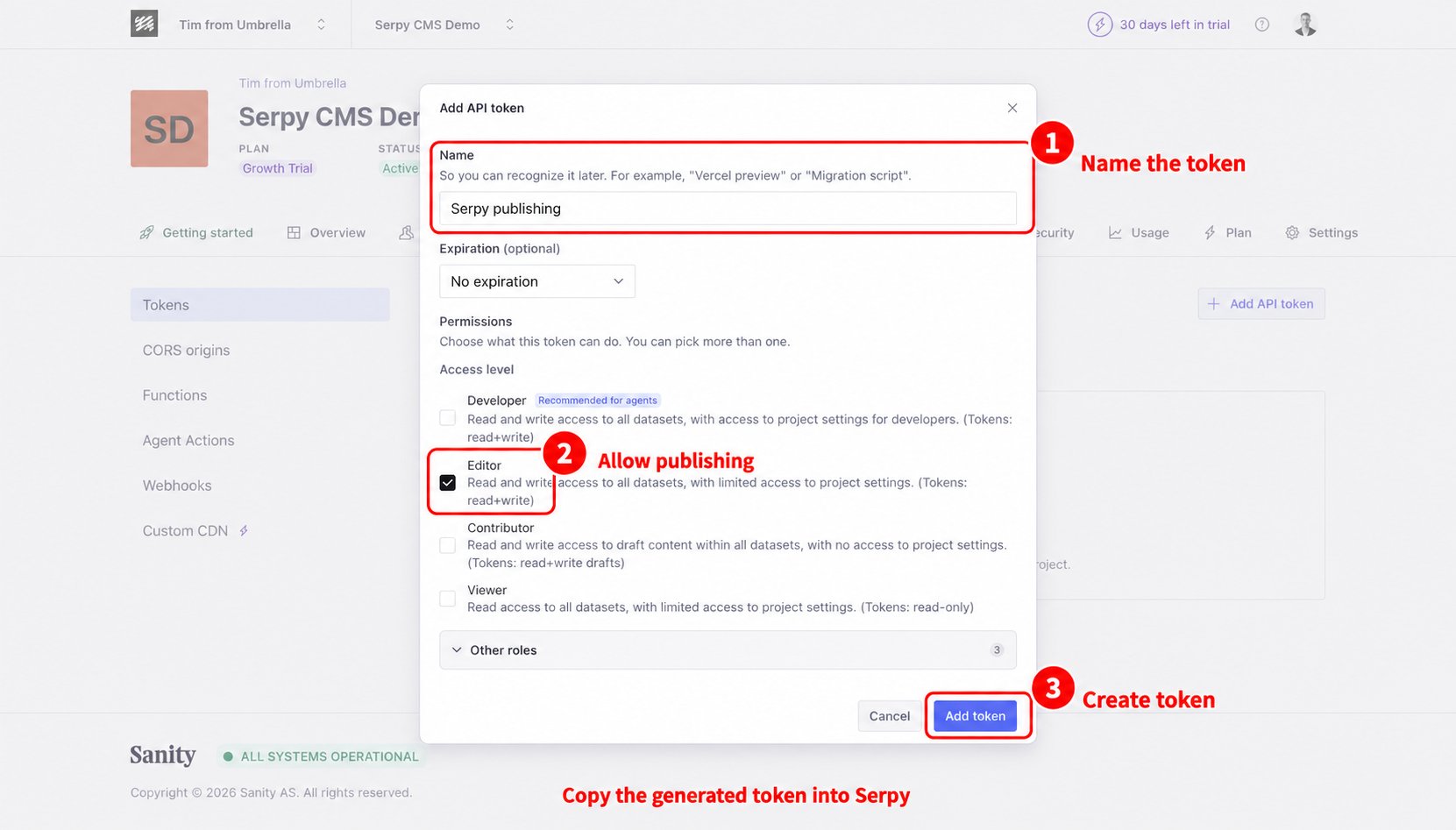
2. Under Tokens, choose Add API token.
3. Give the token a name, such as **Serpy publishing**.
4. Choose a role with permission to publish content, such as **Editor**.
5. Click Add token, then copy the generated token into the token field in Serpy.
**Add your API token:**
1. Open the API tab in your Sanity project.
2. Under Tokens, choose Add API token.
3. Give the token a name, such as **Serpy publishing**.
4. Choose a role with permission to publish content, such as **Editor**.
5. Click Add token, then copy the generated token into the token field in Serpy.
 Choose the content type if prompted, save the connection, and test publishing with a draft article.
## Tips for Sanity
This integration is best for teams with a technical setup.
Make sure your Sanity schema supports the content fields Serpy sends.
Use a token with the correct permissions.
This documentation is built and hosted on [Mintlify](https://mintlify.com), a developer documentation platform.
Choose the content type if prompted, save the connection, and test publishing with a draft article.
## Tips for Sanity
This integration is best for teams with a technical setup.
Make sure your Sanity schema supports the content fields Serpy sends.
Use a token with the correct permissions.
This documentation is built and hosted on [Mintlify](https://mintlify.com), a developer documentation platform.